For my final updated collage I had a little change of ideas after the feedback I had received. I wanted to incorporate aspects of my husband and I’s vacation, but felt the original draft was jumbled and somewhat uninspired. My photos seemed just stamped on instead of an image that looked like it was taken by a camera. This is initially what I had in my mind.
This new image I was trying to go for a smoother image with the objects from the objects from the original draft, and some from my photo collection post, placed a little more strategic or natural.
I started off with a background that I liked which was the ocean with the rocks in the background. I really loved the photo of the lighthouse so I used the lasso Tool and the Layer mask to isolate the lighthouse and Free Transformed the image to sit it on top of the rocks. I also added a smoothing affect to the bottom to make it look like it was built on the rocks in the distance.
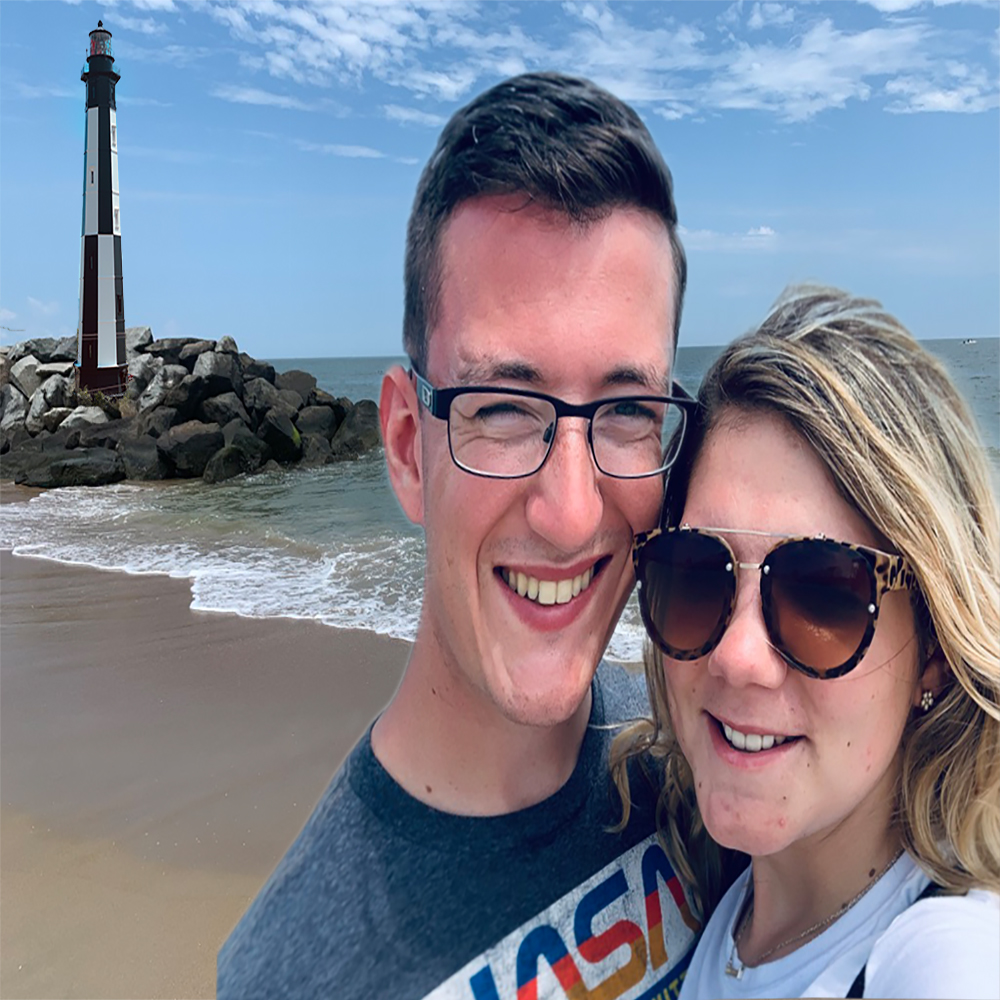
I then took a portrait of the both of us, using a layer mask to isolate that image which became a difficult task because of the fine detail around my hair and my husbands glasses. Once I had the portrait placed in the foreground, I warped the image a touch to take away the hard crop lines of the initial edge borders. Once that was done, I cleaned up the image using the healing tool and the smart fill as good as I could do for as long as I have spent on Photoshop.
I also cleaned up and brightened the sand in the background and made my lines cleaner.
The changed from my original draft to my final draft is pretty drastic, but I was able to come up with a better collage of what I wanted to achieve in the end.
 The Married Life